WGFX: C++23 Graphics & Compute with SDL3 GPU
WGFX is a C++23 graphics and compute library built on SDL3 GPU. It combines typed GPU resources, compute pipelines, FFT plans, and an application framework for scientific visualization, signal processing, and interactive 3D engineering tools.
The SDL3 GPU migration replaced the earlier Dawn/WebGPU backend and WGSL shaders with SDL GPU resources and Slang shaders compiled and embedded at build time. The current shader path uses SPIR-V and Vulkan on Windows and Linux, and Metal Shading Language on macOS through SDL_shadercross.
Updated October 10, 2026 for the SDL3 GPU architecture and current APIs.
Three Libraries, One GPU Framework
WGFX separates windowless compute from interactive rendering:
| Library | Responsibilities |
|---|---|
wgfx::compute |
Retained GPU device context, typed buffers and textures, compute pipelines, command lists, transfers, and fence-backed submissions |
wgfx::fft |
Batched 1D and 2D complex and real transforms, reusable plans, in-place execution, and command-list composition |
wgfx::app |
SDL window and input, ImGui/ImPlot UI, orbit camera, ECS scene rendering, HDR tone mapping, shadows, picking, and render features |
Resources retain their device context, while buffers, pipelines, and command lists use move-only ownership. Submission retains a completion fence and supports ready() and wait(). Applications can submit work asynchronously and compose it with their own scheduling; the flows example demonstrates this with Taskflow.
Headless Compute
Compute-only processes can create a GPU context without a window:
#include <wgfx/compute.hpp>

wgfx::DeviceContext make_compute_context() {
    return wgfx::DeviceContext::create(
        wgfx::DeviceContextOptions::headless_compute());
}
On Linux, headless_compute() selects SDL’s offscreen video driver and Vulkan, without requiring X11 or Wayland. On other platforms it returns ordinary unwindowed defaults. Select the headless mode before creating an interactive SDL window in the same process. The compute library also exports fixed-step scheduling helpers for simulations that need a timestep independent of display frames.
Rendering Policy and Application Profiles
AppRenderPolicy::Continuous is the default for animated workloads. Reactive waits for events through SDL_WaitEventTimeout; requestRender() wakes the app when new data or a UI action needs a frame. setReactive(bool) switches policies at runtime.
AppProfile::Scene3D enables the built-in renderer, with 4× scene MSAA by default. UiOnly and UiCompute use a single-sample target and skip the scene renderer and shadow resources. A UI app can opt into scene rendering later through enable_scene_renderer(). ImPlot and ImPlot3D contexts are independently configurable.
Current C++23 APIs
1. An Interactive Scene
Subclass wgfx::App to access scene, camera, and renderer. The framework handles SDL events, per-frame update(float), UI construction, scene and shadow passes, tone mapping, and presentation. Custom rendering is registered through RenderFeature, whose callbacks encode the main, shadow, and picking passes.
#include <wgfx/wgfx.hpp>

class CubeViewer final : public wgfx::App {
public:
    CubeViewer() : App(wgfx::AppConfig{
        .window_width = 1600,
        .window_height = 900,
        .title = "WGFX SDL GPU Viewer",
        .profile = wgfx::AppProfile::Scene3D,
        .sample_count = 4,
        .present_mode = wgfx::PresentModePolicy::Fifo,
        .schedule = {.render_policy = wgfx::AppRenderPolicy::Reactive}
    }) {
        cube = renderer->create_cube(scene, "Cube");
    }

    int ui() override {
        ImGui::Begin("Scene Controls");
        if (ImGui::SliderFloat("Rotation", &angle, 0.0f, 360.0f)) {
            auto& transform = scene.registry().get<wgfx::Transform>(cube);
            transform.rotation = glm::angleAxis(
                glm::radians(angle), glm::vec3(0.0f, 1.0f, 0.0f));
            requestRender();
        }
        ImGui::End();
        return 0;
    }

private:
    entt::entity cube = entt::null;
    float angle = 0.0f;
};

int main() {
    CubeViewer app;
    return app.run();
}
The scene renders into a linear HDR target. Tone mapping follows the scene resolve, and the UI draws onto the single-sample swapchain image. set_tone_mapping() selects None, Reinhard, ACES Filmic, or AgX; set_exposure() adjusts photographic exposure in stops.
2. Typed Compute Bindings and Slang Shaders
SDL GPU uses separate binding categories for read-only storage, read-write storage, and uniforms. WGFX exposes those categories directly through ComputePass, rather than WebGPU bind groups.
This function takes a compiled ShaderBinary for the Slang shader below:
#include <wgfx/compute.hpp>
#include <cstdint>
#include <limits>
#include <span>
#include <stdexcept>

void scale_values(const wgfx::DeviceContext& gpu,
                  wgfx::ShaderBinary shader,
                  std::span<const float> input,
                  float factor,
                  std::span<float> output) {
    if (input.size() != output.size() ||
        input.size() > std::numeric_limits<uint32_t>::max() / sizeof(float)) {
        throw std::invalid_argument("Input and output sizes must match and fit SDL buffers");
    }
    if (input.empty()) {
        return;
    }
    const auto count = static_cast<uint32_t>(input.size());
    wgfx::Buffer<float> source(gpu, "Input", count,
                              wgfx::BufferUsage::ComputeStorageRead);
    wgfx::Buffer<float> result(gpu, "Output", count,
                              wgfx::BufferUsage::ComputeStorageWrite);
    source.write(input);

    wgfx::ComputePipeline pipeline(gpu, shader, {
        .readonly_storage_buffers = 1,
        .readwrite_storage_buffers = 1,
        .uniform_buffers = 1,
        .threadcount_x = 64
    });
    struct Parameters {
        uint32_t element_count;
        float scale_factor;
    };

    auto commands = gpu.begin_commands("scale values");
    auto pass = commands.begin_compute_pass(pipeline, "scale");
    pass.bind_readonly_storage(0, source);
    pass.bind_readwrite_storage(result);
    pass.set_uniform(Parameters{count, factor});
    pass.dispatch((count + 63) / 64);
    pass.end();

    auto completion = commands.submit_async();
    completion.wait();
    result.read(output);
}
Companion scale.slang:
StructuredBuffer<float> input_values : register(t0, space0);
RWStructuredBuffer<float> output_values : register(u0, space1);
cbuffer Parameters : register(b0, space2) {
    uint element_count;
    float scale_factor;
};

[numthreads(64, 1, 1)]
void main(uint3 id : SV_DispatchThreadID) {
    if (id.x < element_count) {
        output_values[id.x] = input_values[id.x] * scale_factor;
    }
}
Within the WGFX source tree, its CMake helper compiles and embeds the shader into a target:
add_library(scale STATIC scale.cpp)
target_link_libraries(scale PUBLIC wgfx::compute)
wgfx_add_embedded_shader(scale scale_shader scale.slang main compute)
The generated scale_shader.hpp exposes wgfx::embedded::scale_shader(), which supplies the ShaderBinary. Slang is pinned and built by default, with Release shader optimization enabled. macOS builds translate the intermediate SPIR-V to MSL through SDL_shadercross.
Buffer<T>::write() and read() are synchronous convenience transfers. For repeated work, retain buffers and pipelines, reuse TransferBuffer staging allocations, and record uploads, compute, and downloads into a command list. Wait for GPU completion before reading downloaded staging memory or reusing it. This avoids treating convenience readback as an asynchronous operation.
3. GPU FFT Plans
wgfx::fft supports batched 1D and 2D C2C, R2C, and C2R transforms, including arbitrary positive dimensions. Real transforms use a half-spectrum representation. Normalization can match CUFFT/FFTW with None, use Unitary, or apply inverse scaling with Backwards.
Reusable plans cache GPU pipelines and scratch buffers. execute() returns a fence-backed Submission; record() adds FFT passes to an existing command list so FFTs and other compute work can share a submission.
#include <wgfx/fft/fft.hpp>
#include <vector>

void transform_image(const wgfx::DeviceContext& gpu) {
    constexpr uint32_t width = 512;
    constexpr uint32_t height = 512;
    const auto usage = wgfx::BufferUsage::ComputeStorageRead |
                       wgfx::BufferUsage::ComputeStorageWrite;

    wgfx::Buffer<wgfx::fft::Complex> image(gpu, "Image", width * height, usage);
    wgfx::Buffer<wgfx::fft::Complex> spectrum(gpu, "Spectrum", width * height, usage);
    wgfx::Buffer<wgfx::fft::Complex> restored(gpu, "Restored", width * height, usage);
    std::vector<wgfx::fft::Complex> pixels(width * height);
    pixels[0] = {1.0f, 0.0f};
    image.write(pixels);

    auto plan = wgfx::fft::FFTPlan::create2D(
        gpu, width, height, wgfx::fft::TransformType::C2C,
        1, wgfx::fft::Normalization::Backwards);

    auto commands = gpu.begin_commands("FFT round trip");
    plan.record(commands, image, spectrum, wgfx::fft::Direction::Forward);
    // Additional frequency-domain compute passes can be recorded here.
    plan.record(commands, spectrum, restored, wgfx::fft::Direction::Inverse);
    commands.submit_and_wait();
    restored.read(pixels);
}
The Slang kernels include workgroup-memory radix-2 transforms through 4096 points, a two-pass 8192-point path, hierarchical large transforms, radix-4 Stockham fallbacks, tiled 2D transposes, fused and packed real transforms, and Bluestein convolution for non-power-of-two axes. See the FFT guide for transform layouts and execution modes.
Scene Rendering, Lighting, and Picking
The renderer combines EnTT entities, GLM transforms, and metallic/roughness PBR materials. It supports normal and displacement textures, emissive surfaces, procedural meshes, and Assimp model hierarchies with shared geometry and textures.
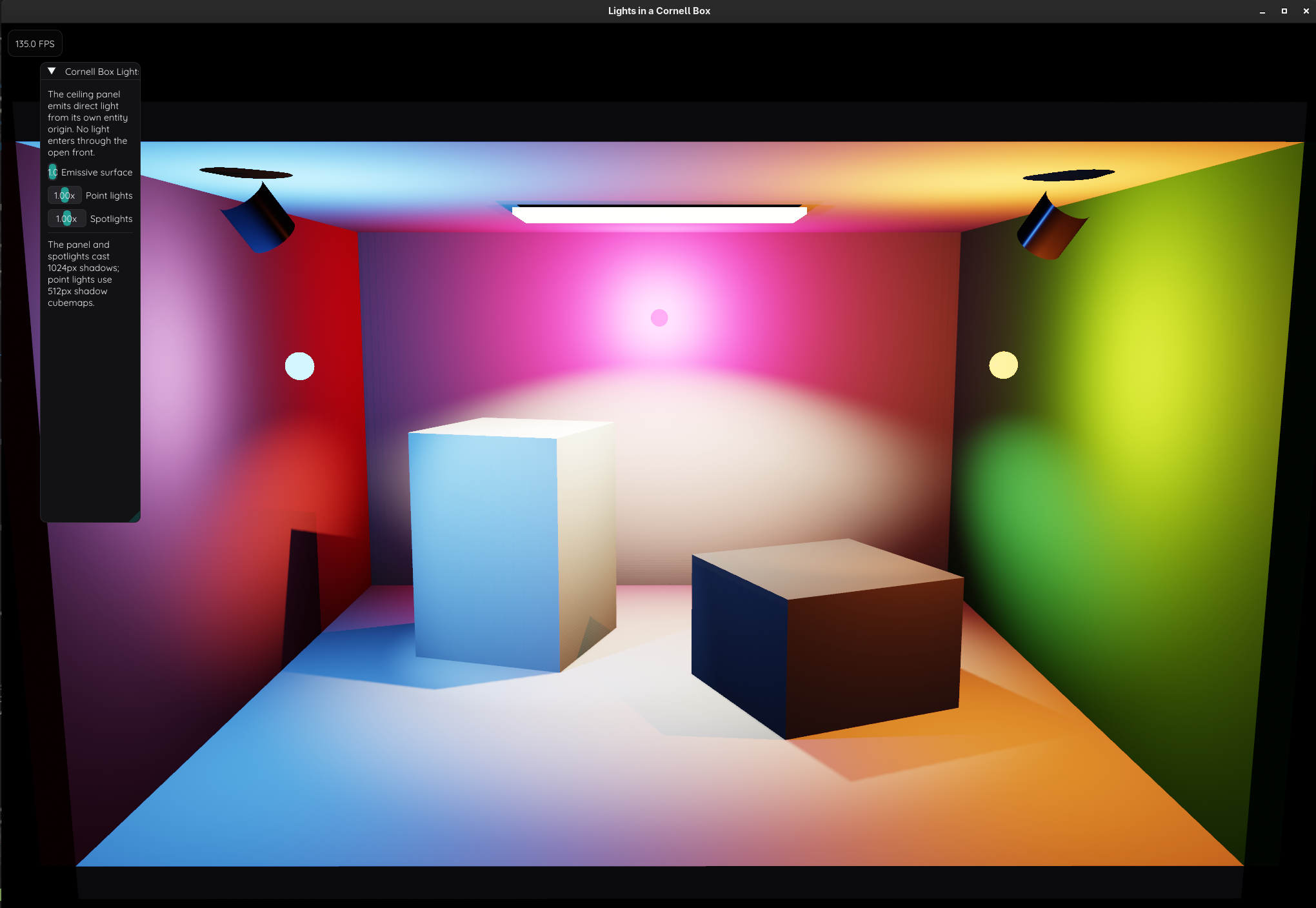
- Lighting and shadows: Up to eight directional, point, or spot lights. The first directional light uses a shared shadow map; up to three spotlights and three point lights have local shadow maps. Directional shadow quality spans 512–4096 pixels.
EveryFrame,OnDirty, andManualpolicies control refreshes, withrequest_shadow_update()available for explicit invalidation. - Environment lighting: EXR and standard image loading, diffuse irradiance, GGX-prefiltered reflections, and a BRDF lookup. Preparation and prefiltering run on the CPU;
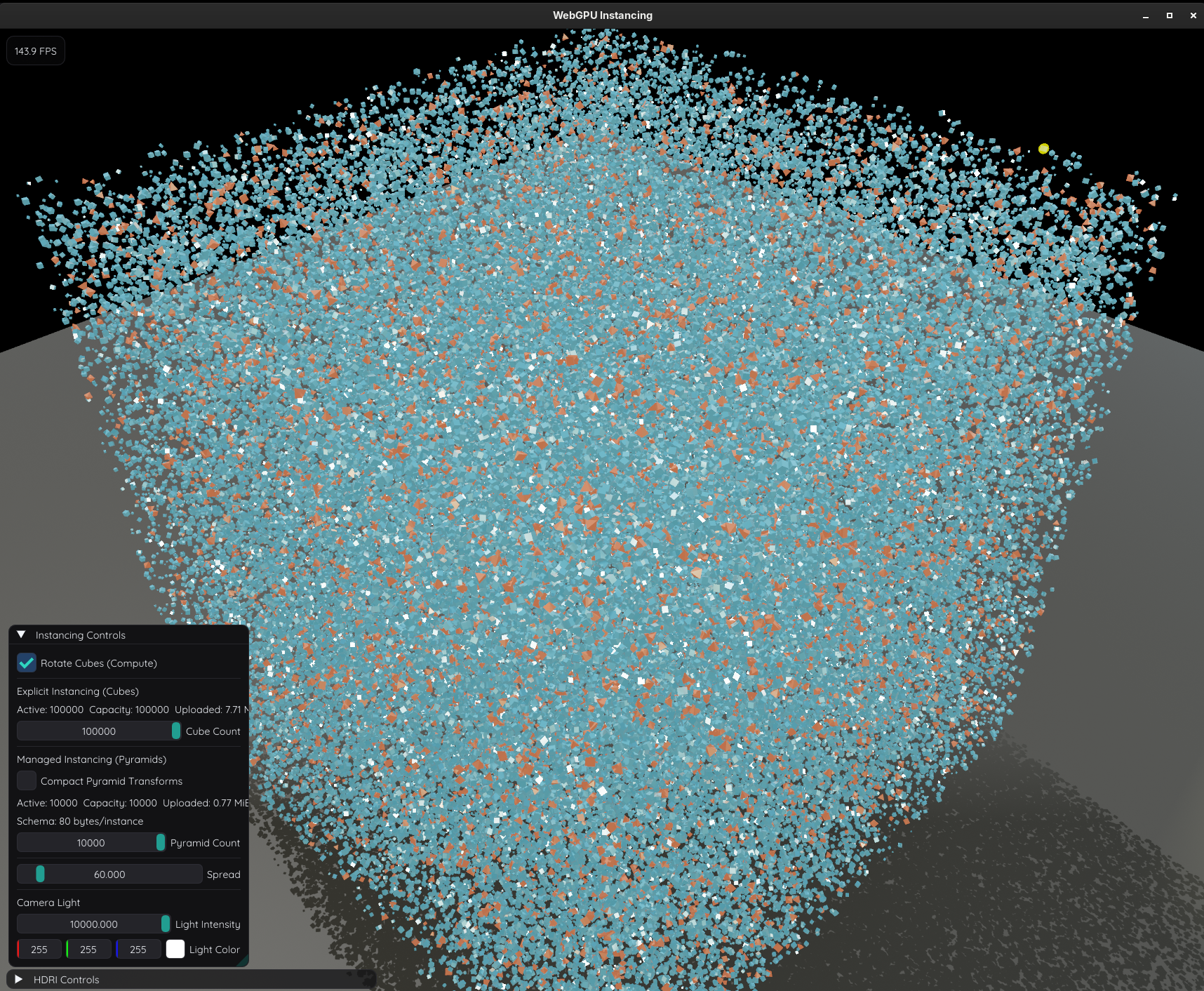
EnvironmentMapLoadercan prepare on a worker thread and upload when polled on the app thread. - Batching and instancing: Visible entities sharing a mesh and material are grouped into instanced draws, with camera-frustum culling for main and picking batches.
InstanceSetdraws directly from a dedicated instance buffer, supports compact transforms and range updates, and retains capacity when the active count shrinks. - GPU picking:
App::pick()queues an entity/instance ID pass and readback, then delivers the result on the app thread.NoPickexcludes entities, while custom features can implementencode_picking(). - Reusable render features:
RenderPipelineBuildercreates pipelines from embedded shaders.SegmentSetrenders world-space cylinders with independently updated endpoint positions, topology, colors, and widths, plus optional picking and directional shadows. App modules and owned services support reusable application components.
Simulations and Interactive Tools
The active SDL GPU examples include:
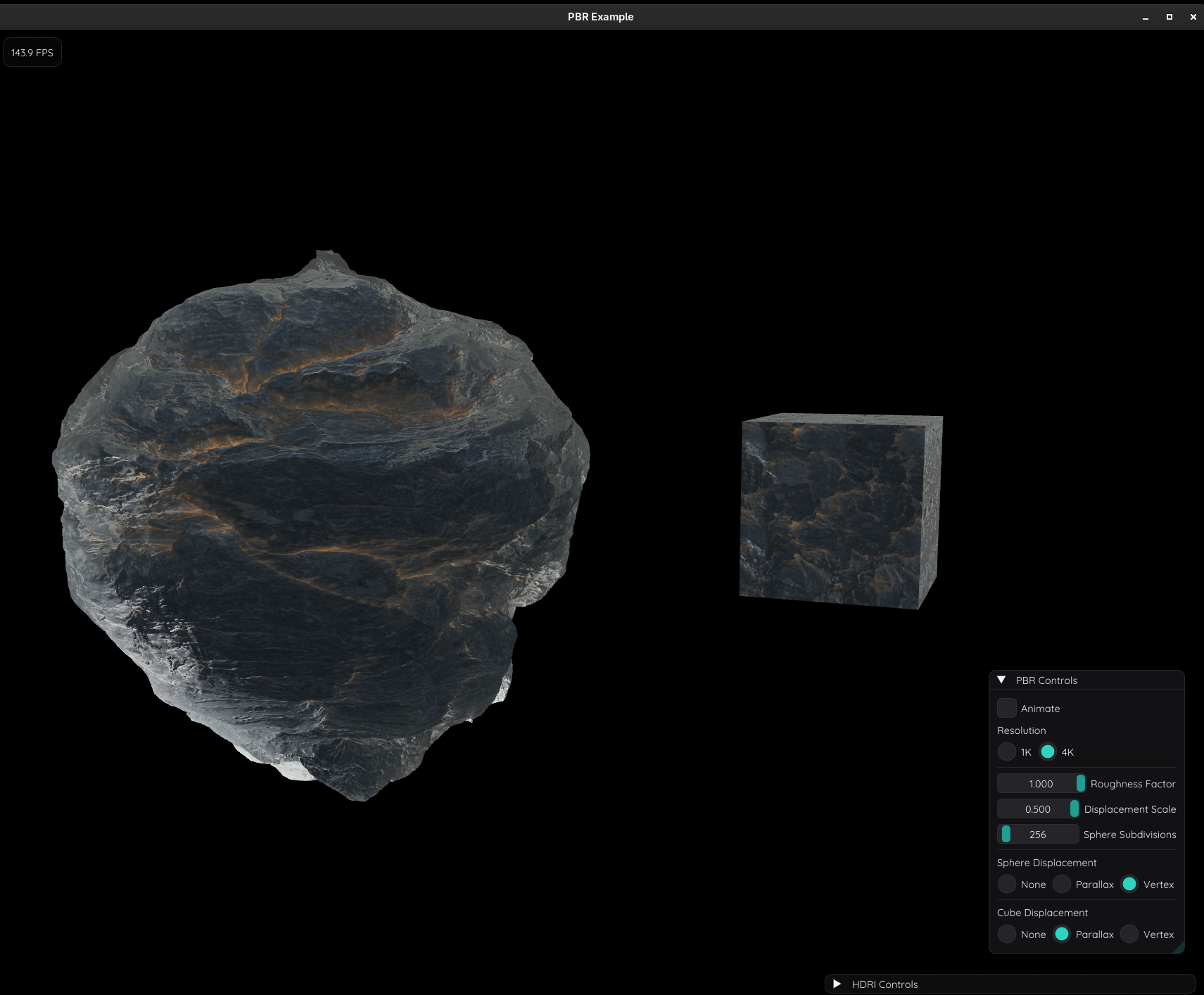
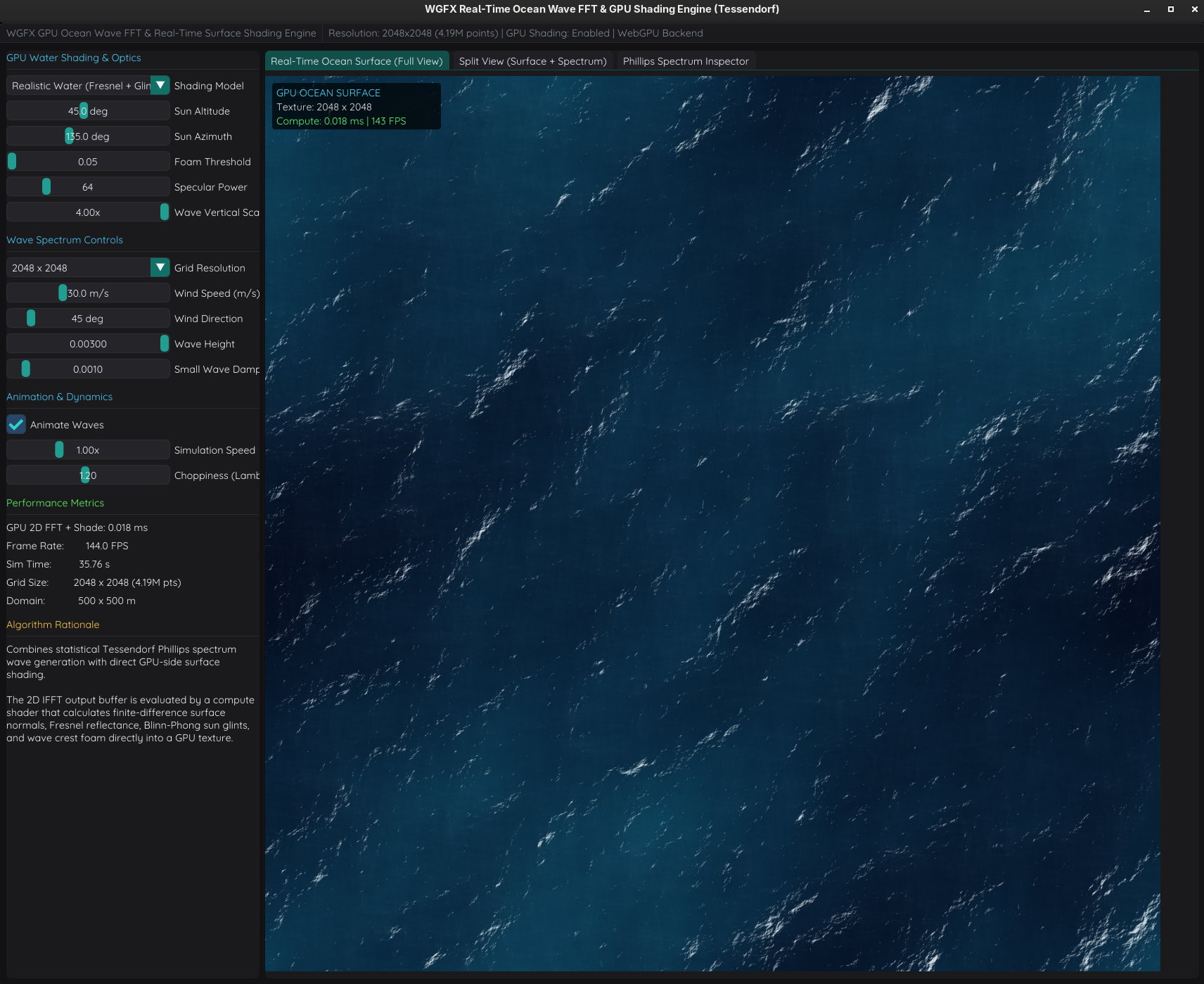
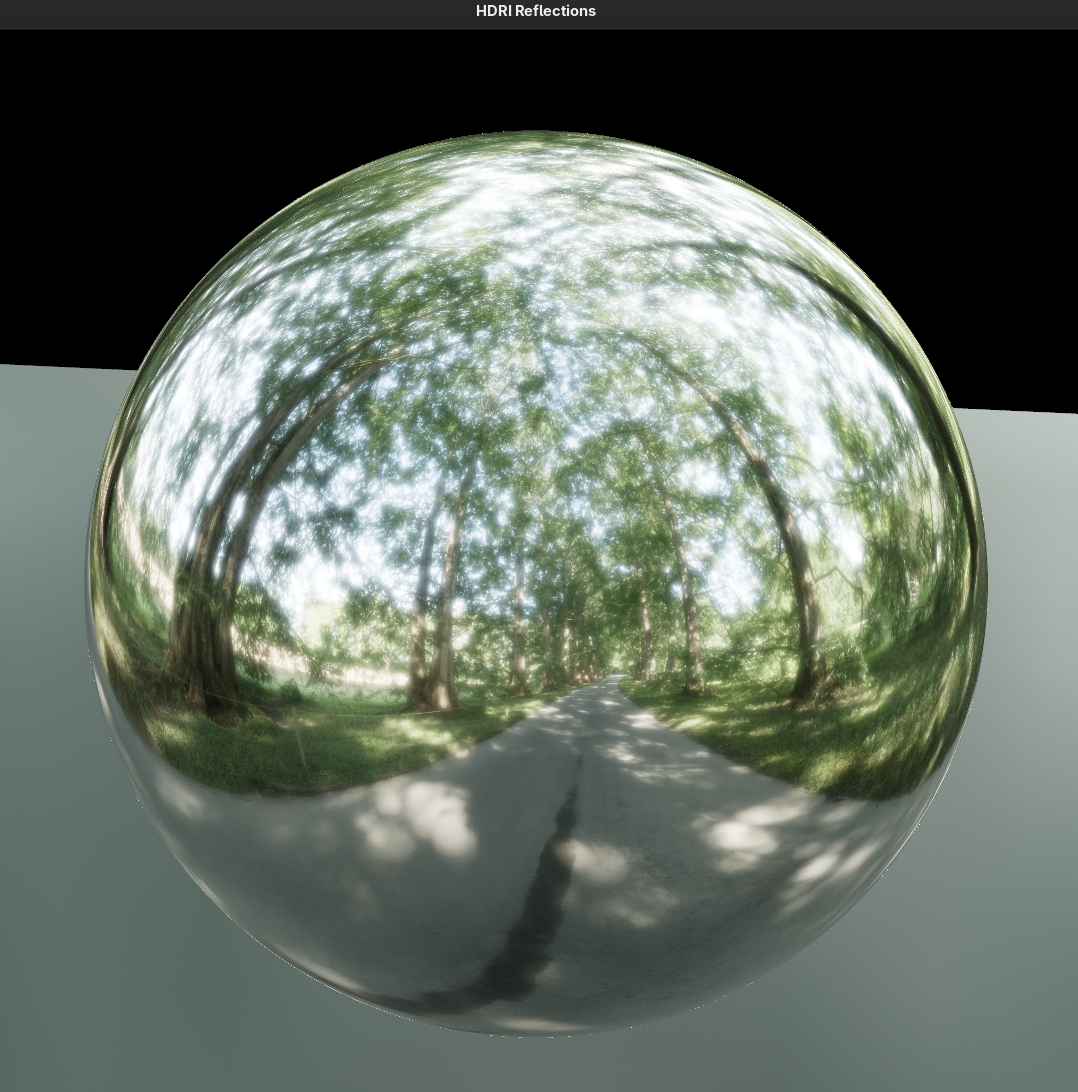
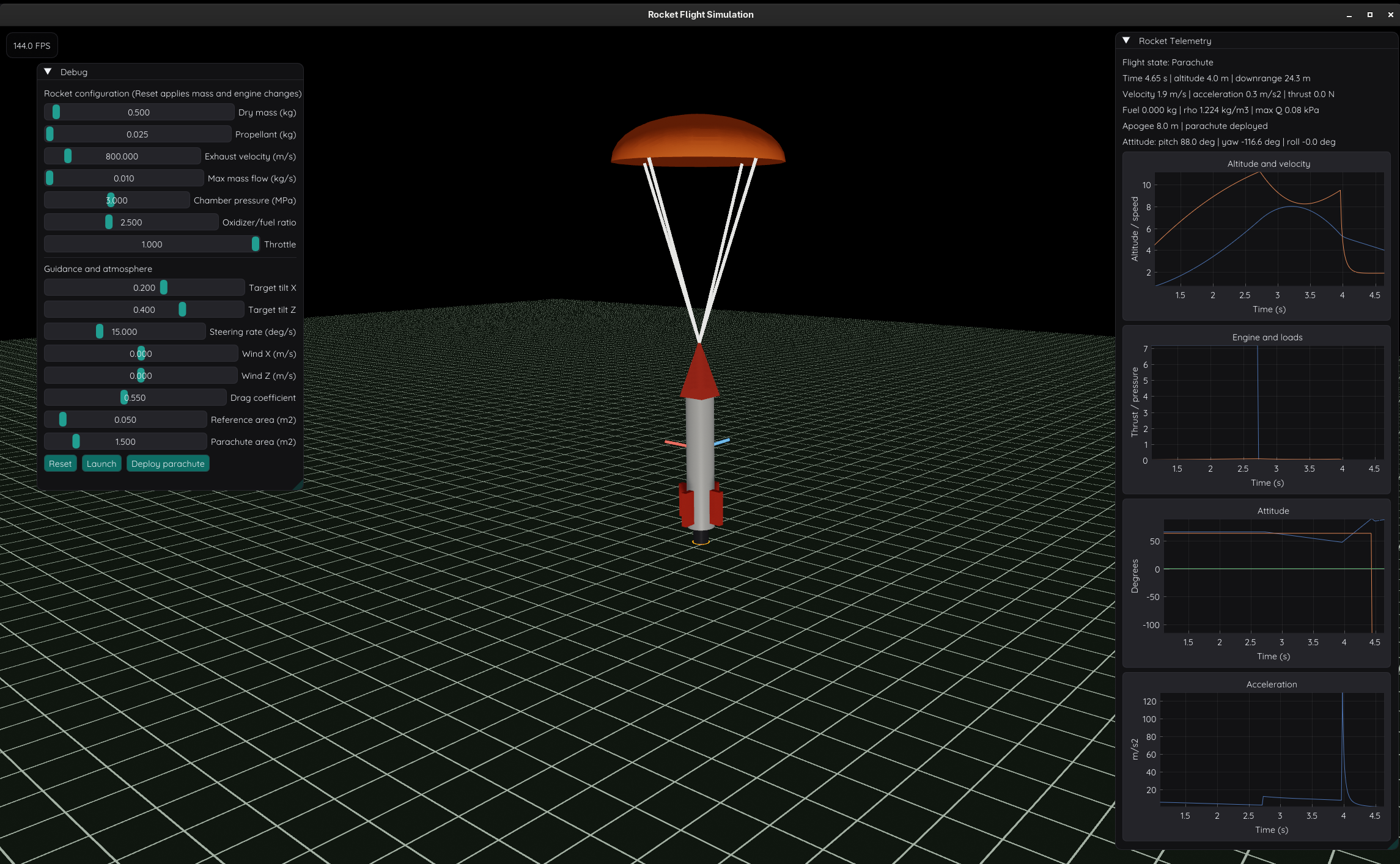
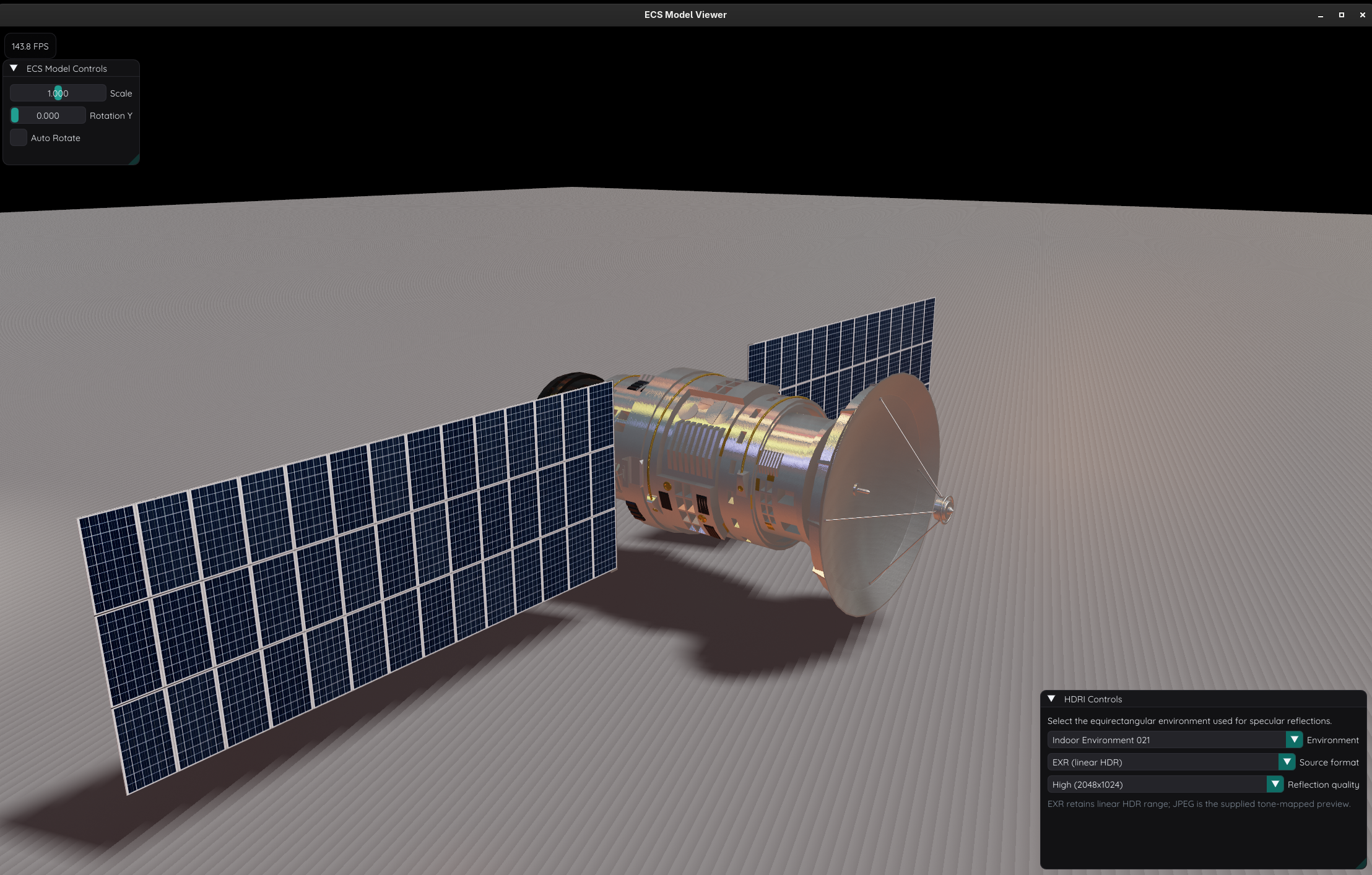
fft_ocean: Tessendorf/Phillips spectrum evolution, GPU 2D IFFT elevation synthesis, and compute shading with Fresnel reflections, sun glints, and foam.fft_diffraction: Fraunhofer and Fresnel propagation for slits, circular apertures, segmented telescope pupils, gratings, and other optical models.fft_image_filter: Forward/inverse GPU 2D FFTs with interactive low-pass, high-pass, and band-pass masks; the current mask operation runs on the CPU between transforms.antenna: Slang compute radiation patterns for phased arrays, multiple beams, tapering, subarrays, and analytical antenna models; the core library supports headless tests and benchmarks.particles: GPU-resident multi-emitter simulation and instanced, alpha-blended sprites. Particle state stays on the GPU while the CPU updates compact parameters.dynamic_graph:SegmentSetwith independent position and topology update rates, upload counters, and a repeatable frame benchmark.instancing,model, andearth: Large instance sets, ECS model inspection, and textured globe rendering.rocket,flows,plots, andplots3d: Flight simulation, Taskflow compute orchestration, and 2D/3D plotting.pbr,displacement,hdri,lights, andtonemapping: Material, environment, shadow, and display-transform tools.
The examples report different kinds of timing: ocean reports CPU command-encoding time and frame rate; image filtering reports transform submission and synchronization time; diffraction includes CPU work in its near-field propagation timing. Those values should not be read as GPU-only FFT timings. Current FFT and antenna benchmark targets provide separate measurement tools, while scene workloads such as model, instancing, and dynamic_graph support frame-count benchmark modes. Earlier backend measurements do not establish performance for the SDL GPU renderer.
Building and Dependencies
WGFX requires a C++23 compiler and CMake 3.25+. A fresh default configuration fetches pinned dependencies through CPM.cmake and builds the Slang compiler; shader embedding also requires Python 3.
cmake -S . -B build -DCMAKE_BUILD_TYPE=Release
cmake --build build --config Release --parallel
cmake --install build --config Release --prefix build/dist
ctest --test-dir build -C Release --output-on-failure
Installed examples are placed in build/dist/bin. Consumers can use find_package(wgfx CONFIG REQUIRED) and link wgfx::compute, wgfx::fft, or wgfx::app.
| Option | Default | Purpose |
|---|---|---|
WGFX_BUILD_SHARED |
OFF |
Build shared libraries |
WGFX_ENABLE_EXAMPLES |
ON |
Build interactive and compute examples |
WGFX_ENABLE_TESTS |
ON |
Build and register tests |
WGFX_ENABLE_BENCHMARKS |
ON |
Build Google Benchmark targets |
WGFX_ENABLE_IMGUI |
ON |
Enable ImGui, ImPlot, and ImPlot3D integration |
WGFX_ENABLE_X11 |
ON |
Enable the bundled SDL X11 backend |
WGFX_USE_SYSTEM_DEPS |
OFF |
Resolve installed dependencies where supported |
WGFX_SLANGC_EXECUTABLE |
empty | Use a local slangc instead of building the pinned compiler |
WGFX_USE_SYSTEM_DEPS=ON currently requires WGFX_ENABLE_IMGUI=OFF. On Linux, WGFX_ENABLE_X11=OFF disables bundled SDL’s X11 backend while retaining Wayland support. macOS shader builds additionally use SDL_shadercross. The Linux CI workflow builds Debug and Release, but currently excludes fft_tests and app_sdl_tests from its test runs.
The current stack combines SDL3 GPU and Slang with Dear ImGui docking, ImPlot, ImPlot3D, and ImGuiFileDialog; GLM and EnTT; Assimp, stb, TinyEXR, and miniaudio; and Taskflow in the workflow example. The compute guide and app guide document the current library boundaries and rendering lifecycle.